Free AI Hairstyle Try On
— Try Before You Cut
See yourself in 60+ professional hairstyles and 2340+ style-color combinations with our free AI generator. Upload your photo to preview realistic haircuts, bangs, and hair color changes on your own portrait.
Preview
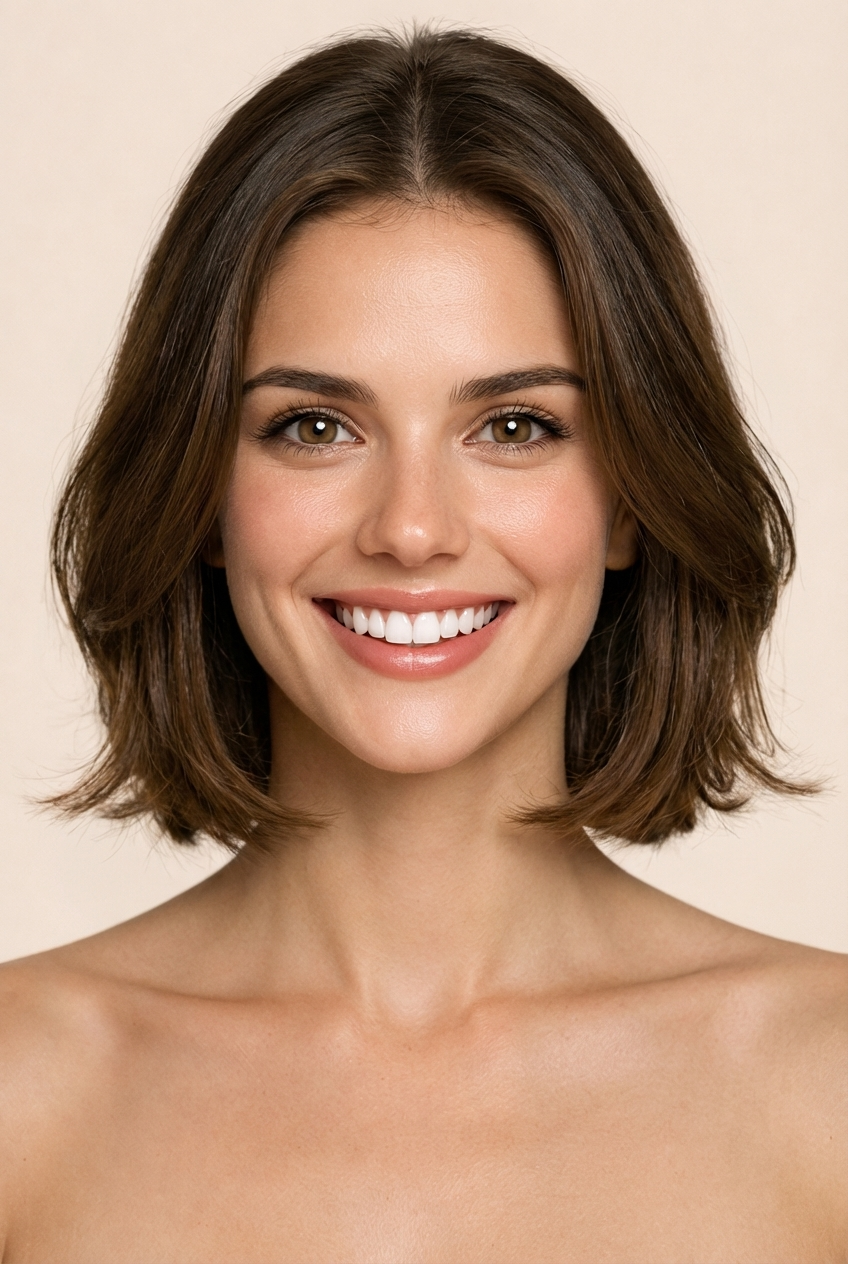
Soft French Bob
Hair Color
No Change
Generate
Upload portrait
One clear photoGenerate
Create your new look
Current look
Soft French Bob · No Change
Save up to 5 looks for this run.
Generation history
Every generated hairstyle preview appears here automatically.
Core Features
Preview haircuts, bangs, and color changes on your own photo
Upload one portrait and explore multiple hairstyle ideas powered by AI. The studio preserves your original image so every AI hairstyle try on result feels natural and credible.
Upload one clear portrait
Start with a front-facing photo and use the AI hairstyle try on tool to test different style ideas on the same image. Compare the outcome instead of guessing from random model photos found through a web search.
Compare haircut directions first
Use the hairstyle try on studio before a salon visit to shortlist bob cuts, bangs, layered looks, fades, pixie cuts, and other shapes worth considering for your next appointment.
Mix shape with color
Preview both the haircut structure and hair color mood in one generation pass. This AI hairstyle try on feature helps you decide whether the overall change suits your complexion before committing.
Keep result history private
Generated previews are tied to your authenticated account. There is no public gallery — your portraits and every hairstyle try on result remain visible only to you.
About the tool
AI Hairstyle Try On — Preview Before You Cut
HairstyleTryOn.org is an AI hairstyle try on tool for anyone who wants to test a haircut or color idea before making a real change. Upload one portrait, browse short, long, curly, layered, or fringe-based templates, and preview how each option sits on your own face — instead of guessing from salon reference photos found through a web search.
A reliable virtual hairstyle try on simulator should feel both immediate and believable. This AI studio lets you queue up several shape-and-color combinations on the same image, keep the original lighting intact, and narrow down your next appointment decision with far less guesswork. Whether you are reviewing bangs for the first time, testing a bold bob cut, or exploring an entirely different color palette, the AI hairstyle try on preview shows how every choice plays against your specific face shape, skin tone, and existing features.
Because every generated look stays attached to your personal account, you can revisit past hairstyle try on previews, share a side-by-side comparison with your stylist, or simply return later when you are ready to experiment further. No public gallery is involved and no photos are shared outside your authenticated session.
How it works
Three Steps to AI Hairstyle Try On
Upload a clear selfie or portrait
Start with a front-facing photo where your hairline is visible. This image becomes the permanent canvas for every subsequent AI hairstyle try on preview, so one upload lets you compare dozens of style variations without re-shooting.
Pick a hairstyle and adjust the color palette
Browse the style selector and choose from bob cuts, layered looks, bangs, fades, pixie cuts, textured crops, and more. Then fine-tune the hair color — try warmer highlights, cooler lowlights, or a full-spectrum change to see how shape and shade work together.
Generate previews and compare side by side
Tap generate and the AI hairstyle try on tool produces a realistic preview directly on your portrait. Queue multiple combinations, review each output, and pick the favourites to discuss with your stylist at your next appointment.
What you can do
Explore Every Style Direction
From subtle trims to dramatic makeovers — preview how each change will look on your actual face before making any commitment.
Haircut Shapes
- Bob cuts
- Pixie cuts
- Layered looks
- Fades & tapers
Bangs & Fringe
- Curtain bangs
- Wispy fringe
- Side-swept bangs
- Blunt bangs
Color & Tone
- Warm highlights
- Cool lowlights
- Full color change
- Balayage preview
Popular scenarios
What People Use AI Hairstyle Try On For
People rarely search a single keyword. They search for a specific haircut, a colour question, or a cautious “how to try bangs online before cutting them.” The AI hairstyle try on studio is designed to handle all of these intent-driven queries inside one streamlined workflow.
- Try bangs, bob cuts, pixie cuts, and layered styles on your own photo before visiting a salon
- Test hair color ideas — highlights, lowlights, warm tones, cool tones — alongside a new haircut shape
- Compare men’s and women’s hairstyle try on directions on one portrait and narrow down the best option
- Shortlist haircut references to bring to a stylist so the consultation starts from a visual baseline
- Check whether a dramatic shape change still complements your face structure before committing
- Preview results with your own photo instead of relying on celebrity or stock reference images
- Generate multiple AI hairstyle try on outputs to share with friends or a stylist for a second opinion
FAQ
Common Questions About AI Hairstyle Try On
How does the AI hairstyle try on work?+
Upload one clear portrait, choose a style template and optional hair color, then generate the preview. The AI applies the selected look to your features while preserving the original image lighting and background.
Can I test different looks on my own photo?+
Yes. Upload your portrait once and use the AI hairstyle try on tool to test as many shape and colour combinations as you want. Each generation reuses the same base photo so the results are always directly comparable.
Is it free to use?+
New accounts start with 3 free credits, and signed-in users receive 1 free credit every 24 hours. If you need more, additional credit packs are available on the pricing page.
Can I preview both haircut and hair color changes at once?+
Yes. You can combine a haircut direction — such as a bob cut, bangs, or layered look — with a different color palette in the same generation run to see the combined effect on your hairstyle try on preview.
Is this useful before going to a salon?+
Many users generate AI hairstyle try on previews to narrow down a haircut direction before talking with a stylist. The output gives both you and the hairdresser a clear visual starting point for the consultation.
Are my uploaded photos kept private?+
Uploaded portraits and generated results are tied to your own account history. There is no public gallery — every image stays behind authenticated access and is visible only to you.
Why Choose Our AI Hairstyle Try On Tool?
HairstyleTryOn.org provides the most realistic hairstyle try on experience online. Our AI-driven engine allows you to experiment with a virtual hair makeover using your own photo. Whether you're looking for an AI hair color changer or a reliable virtual haircut simulator, our platform offers over 60 professional hairstyle templates including bob cuts, pixie cuts, fades, and long layers.
The hairstyle try on process is simple: just upload a portrait and browse through our extensive library of 60+ curated styles. You can try bangs on your photo, test a bold new hair color like platinum blonde or copper red, and even combine multiple styles into one generation batch. This makes it the best tool for anyone wanting to try a new hairstyle before committing at the salon.
Our virtual hairstyle try-on tool is not just for women; we have a comprehensive collection for men's hairstyles as well. From textured crops to classic side parts, every AI hairstyle try on result is generated to feel natural and believable. Join thousands of users who are using AI to discover their next perfect look today.
Ready to Try a New Hairstyle?
Upload your portrait, explore haircuts, bangs, layers, and color changes with the AI hairstyle try on tool. No commitment and no salon visit required — just curiosity and one good selfie.
Join thousands of users previewing their next look